
SIEMENS S7-1500 TIA PORTAL HANDS-ON WORKSHOP

Learn with real S7-1500 PLC, remote IOs and Profinet Devices

Master S7-1500 PLC

2026 Schedule | 10% Early Birds Discount

Siemens S7-1500

40+ Hours of
Hands-On Training
1:1 Student-to-
Hardware Ratio
10+ Years of Industry
Experience
SMALL Class Sizes
REAL-WORLD Application Focused

Rockwell Studio 5000

Date

Early Bird Ends

Status

Book Your Seat

September 21-25

July 6th

Seats Available

September 28-2 October

July 13th

Seats Available

October 19-23

August 3rd

Seats Available

October 26-30

September 28th

Seats Available

Siemens S7-1500

Extensive Hands-On Workshop
$4199.99
$ 3799
95
Early Birds Discount
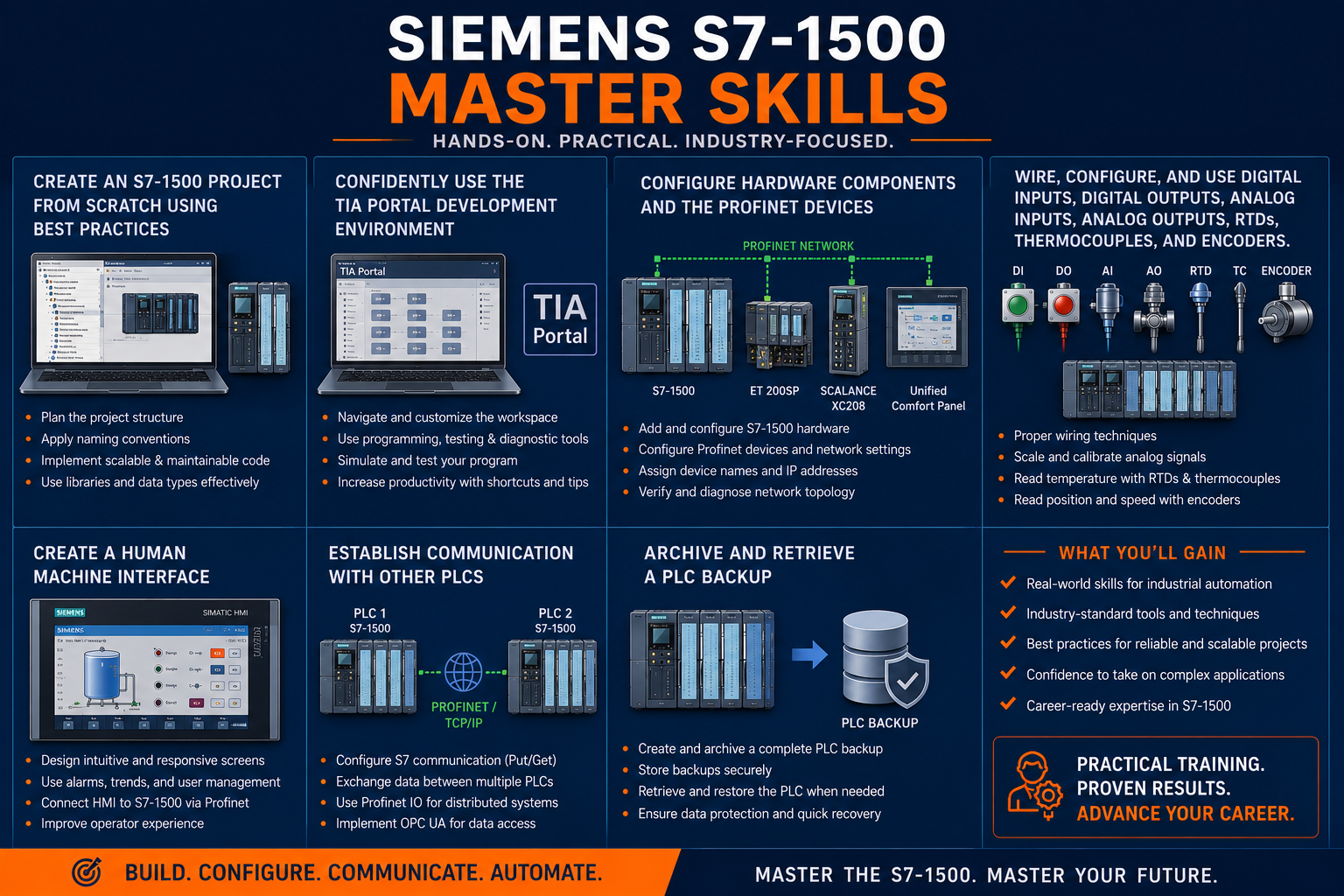
  • TIA Portal IDE
  • Hardware configuration
  • Digital Input and Output configuration and wiring
  • Analog Input and Output configuration and wiring
  • Thermo-couples configuration and wiring
  • SSI and RS-485 Encoders wiring and configuration
  • Establish PLC to PLC communication
  • Profinet network Configuration and Troubleshooting
  • Profinet network Configuration and Troubleshooting
  • Develop complete Projects from scratch

Schedule Tia Portal Hands-On Workshops : Core Skills & Beyond

DATEEARLY BIRD DEADLINESTATUSBOOK YOUR SPOT
Sept 14 – Sept 18Aug 16Seats AvailableBook Your Seat
Sept 21 – Sept 25Aug 23Seats AvailableBook Your Seat
Oct 19 – Oct 23Sep 20Seats AvailableBook Your Seat
Oct 26 – Oct 30Sep 27Seats AvailableBook Your Seat
Nov 2 – Nov 6Oct 4Seats AvailableBook Your Seat
Nov 9 – Nov 13Oct 11Seats AvailableBook Your Seat
Nov 30 – Dec 4Nov 1Seats AvailableBook Your Seat
Dec 7 – Dec 11Nov 8Seats AvailableBook Your Seat

PLC S7-1500 TIA Portal Program

  • Siemens S7-1200 and S7-1500 overview
  • Key features of a PLC system
  • Hardware components of an S7-1500 system
  • TIA Portal software packages
  • Download TIA Portal trial version 
  • Installation and configuration
  • TIA Portal different views and tasks panels
  • Project tree
  • Work area
  • Inspector window
  • Reference project and details view
  • Interface settings
  • Devices and Networks
  • Online diagnostics
  • Program blocks
  • Organization blocks
  • Functions
  • Functions blocks
  • Data blocks
  • Technology objects
  • PLC tags
  • PLC data types
  • Watch and force tables
  • Configure the trainer PLC and remote IO
  • Establish Profinet communication
  • Connect and address digital input & outputs and use in a projects
  • Connect and address analog input & outputs and use in a projects
  • Connect and address RTDs, thermocouples ,encoders and use in a projects
  • General ladder network elements
  • Bit logic operation
  • Timers
  • Counters
  • Comparators
  • Math functions
  • Move operation
  • Conversions
  • Program control
  • Word logic operation
  • String and characters
  • Process Image update
  • Distributed I/O read and write
  • Diagnostics
  • Use watch and force table
  • Use Trace tool to record signals 
  • Use IBA process data analyzer to record and analyze the process data
  • Use the legacy Get/Put to exchange data between two CPUs
  • Use Pn/Pn Coupler for deterministic communication
  • Use Open User Communication
  • Check the Physical Profinet connection
  • Use Proneta to assign names, check IP addresses and the network topology
  • Use Wireshark to listen to the network and record the failures sources
  • Use the Scalance Switch web interface to get the ports statistics 

Why Choose Industrial Automation Training Services LLC?

⚙️

Hands-On Learning

Train using industrial-grade equipment and software with extensive practical exercises and real-world applications.

👨‍🏭

Experienced Instructors

Learn from automation professionals with decades of experience in manufacturing, commissioning, and troubleshooting.

🏭

Industry-Relevant Training

Master PLCs, HMIs, VFDs, instrumentation, industrial networking, and process control systems used in today's facilities.

🔍

Real-World Troubleshooting

Develop practical diagnostic and problem-solving skills through realistic industrial scenarios and guided exercises.

👥

Small Class Sizes

Receive personalized attention, increased instructor interaction, and greater access to training equipment.

📈

Immediate Workplace Impact

Apply newly acquired skills immediately to improve productivity, reliability, and operational performance.